Suno AI и Udio из России: VPN-доступ и оплата подписки картами РФ — полное руководство
Полный гид 2026 по доступу к Suno AI и Udio из России: рабочие VPN-стратегии с выделенным IP, антифрод-гигиена, стабильные локации, оплата подписок картами РФ (Тинькофф, Озон), через посредников и криптовалюту. Практика, чек-листы, кейсы, FAQ.
Содержание статьи
- Введение: почему тема актуальна, что узнает читатель
- Основы: фундаментальные концепции (для новичков)
- Глубокое погружение: продвинутые аспекты темы
- Практика 1: быстрый старт c suno и udio (методика «за 60 минут»)
- Практика 2: правильный vpn-стек и антифрод-гигиена (метод «одного отпечатка»)
- Практика 3: оплата подписок из рф (метод «многоступенчатой кассы»)
- Практика 4: продвинутая генерация музыки и гибридный воркфлоу
- Типичные ошибки: что не нужно делать
- Инструменты и ресурсы: что использовать
- Кейсы и результаты: реальные примеры применения
- Faq: 10 глубоких вопросов
- Заключение: резюме и следующие шаги
Введение: почему тема актуальна, что узнает читатель
Генераторы музыки на базе искусственного интеллекта из разряда «восторженного сезона» перешли в стадию зрелого инструмента. Suno AI и Udio стали стандартом де-факто для пробного саунда, демо-идей и даже релизного материала в рекламных роликах, мобильных играх и цифровом контенте. Но у российских пользователей до сих пор две системные преграды: геоблок по IP и ограничения по оплате подписок. Это руководство закрывает обе проблемы — от понимания механизмов антифрода до практического чек-листа по VPN и рабочим платежным сценариям с картами РФ.
Мы разберем основы работы текст-ту-мьюзик моделей простым языком, затем погрузимся в продвинутые приемы: как задавать BPM, тональность и структуру, как управлять вокалом, как комбинировать AI-генерацию со стандартным продакшеном в DAW. Практическая часть — четыре независимых методики: быстрый старт, правильная настройка VPN-стека и «гигиены» антифрода, варианты оплаты из России, плюс продвинутый воркфлоу для стабильных коммерческих результатов.
Вы получите конкретные фреймворки и чек-листы, поймете, почему одни аккаунты живут месяцами, а другие сгорают за вечер, научитесь выбирать локации с лучшим балансом «скорость/надежность», а также посчитаете экономику: стоимость подписки, накладные расходы VPN, комиссия посредников. В конце — реальные кейсы и развернутый FAQ с ответами про риски бана за VPN, способы оплаты картой Тинькофф или Озон, и нюансы публикации AI-треков.
Основы: фундаментальные концепции (для новичков)
Что такое Suno AI и Udio
Suno AI и Udio — это облачные сервисы генерации музыки, которые создают полноценные треки на базе текстовых запросов (prompt). В типовом сценарии вы описываете стиль, настроение, темп, инструментальную палитру, а также опционально просите добавить вокал с указанной манерой исполнения. На выходе — аудиофайл в нужной длине, часто с возможностью вариаций, продолжения и переработки исходной идеи.
Ключевые отличия от библиотек и синтов
- Генерация по описанию: вам не нужно подбирать пресеты и патчи; вы описываете желаемое и получаете трек.
- Стилистическая широта: от лоуфай-хип-хопа и инди-попа до эпичного оркестра и агрессивного dnb.
- Вокал и лирика: современные модели добавляют вокальные партии и даже сгенерированные тексты, что раньше требовало отдельной вокалистки/вокалиста и студии.
- Быстрота итераций: за 2–5 минут вы слышите версию, понимаете, куда двигаться, и запускаете новую вариацию.
Базовые термины
- Prompt — текстовое описание желаемого результата, разбитое на смысловые блоки: стиль, инструменты, референсы, структура.
- Seed — числовое зерно случайности; фиксируя seed, вы повышаете повторяемость результата.
- BPM — темп (удары в минуту). Важен для танцевальных жанров и синхронизации с видео.
- Key — тональность. Влияет на восприятие и совместимость с вокалом/сэмплами.
- Stems — «стемы», дорожки по группам (вокал, барабаны, бас и т. д.), удобны для микса.
Лицензирование и права
Коммерческое использование AI-треков зависит от политики платформы и выбранного тарифа. Обычно платные планы расширяют права на использование, но финальные условия — в интерфейсе сервиса и пользовательском соглашении. Стоит учитывать, что «похожие на Х» промпты не дают вам прав на имитацию конкретных артистов, а использование узнаваемых мелодий третьих лиц может повлечь претензии.
Почему нужен VPN и почему это не просто «сменить IP»
Большинство западных AI-сервисов применяют геоограничения и риск-модели. Они смотрят не только на страну IP, но и на репутацию IP, совпадение платежных данных с геопозицией, поведение браузера (fingerprint), часовой пояс, WebRTC, DNS и даже шаблоны использования: резкие логины с разных локаций, множественные аккаунты на одном устройстве. Потому доступ к Suno и Udio для пользователей из России — это не только вопрос подключения VPN, но и выстраивания «профиля пользователя», который не раздражает антифрод.
Глубокое погружение: продвинутые аспекты темы
Как модели «слышат» ваш запрос
Современные аудиогенеративные модели строятся на связке языковых и аудиокодеков: текст разбирается LLM-компонентом, стиль и ограничения (BPM, «эмоциональные маркеры», инструменты) транслируются в управляющие сигналы, а синтез звука происходит через диффузионные или авторегрессионные декодеры, обученные на кодированных представлениях аудио. Практический вывод: чем структурированнее и конкретнее ваш prompt, тем предсказуемее результат. Сообщение «сделай мощный EDM» менее стабильно, чем «melodic techno, 126 BPM, key A minor, sidechain pumping, punchy kick, airy plucks, 16-bar intro → 32-bar drop → 16-bar breakdown → 32-bar second drop, bright and open, no distortion overload».
Базовая форма хорошего промпта
- Стиль: жанр, поджанр, референс-эпоха.
- Темп и тональность: BPM, key (если критично).
- Инструментарий: ключевые партии и их характер.
- Структура: длина частей, где нужен дроп, где бридж.
- Текст/вокал: мужской/женский, акцент, эмоция, плотность бэк-вокала.
- Ограничения: «без грубой дисторсии», «не перегружать низ», «меньше реверберации».
Антифрод: почему «дешевая» схема часто дороже
Сервисы видят больше, чем кажется. Общие признаки высокого риска: массовые входы с «сгоревших» VPN-узлов, быстрый цикл «аккаунт → генерация → попытка оплатить → отказ → смена локации», несоответствие страны IP и BIN карты, агрессивное использование инструментов без «прогрева» профиля. Результат — теневой флаг в системе (shadow flag), замедления, лимиты или прямой бан аккаунта/платежей. Цена ошибки — потерянные проекты и время. Расчетливо выстраивая стабильную инфраструктуру (гео, IP, платежная схема, поведенческий паттерн), вы выигрываете месяцы спокойной работы.
Стратегия «постоянной идентичности»
- Один человек — один «профиль»: постоянный IP, устойчивый часовой пояс, неизменный браузерный профиль, предсказуемые временные окна работы.
- Осторожная онбординг-повестка: первые дни — умеренные генерации, без сложных платежных маневров, без резких прыжков по локациям.
- Платежи в том же регионе: по возможности регион IP и биллинг-данные не конфликтуют.
Практика 1: быстрый старт c Suno и Udio (методика «за 60 минут»)
Цель метода
Минимальными усилиями запустить легитимный доступ к Suno AI и Udio, сгенерировать первые треки и понять, где узкие места именно в вашей связке устройства, соединения и платежей.
Шаги
- Выбор целевого сервиса. Если вам нужен быстрый поп/инди с вокалом и четкой песенной формой — начинайте с Suno AI. Для более гибких экспериментальных текстур и альтернативных жанров — пробуйте Udio. Лучше послушать по 5–7 треков-примеров сообщества каждого сервиса внутри их интерфейсов.
- Подготовка окружения. Обновите браузер. Отключите «шумные» расширения. Синхронизируйте системный часовой пояс с выбранной локацией. Очистите кэш/куки или создайте отдельный профиль браузера под музыкальные сервисы.
- Настройка сети. Поднимите VPN-подключение к западной локации с хорошей репутацией IP (подробнее о локациях и протоколах — в следующем разделе). Проверьте: утечки WebRTC отключены, DNS резолвится через VPN, скорость не ниже 20–30 Мбит/с, пинг приемлемый.
- Создание аккаунта. Регистрация через e-mail + пароль либо через один и тот же провайдер OAuth. Желательно — почта, не привязанная к десяткам других сервисов с конфликтным гео.
- Первый логин и «прогрев». Не бегите сразу генерировать десятки треков. Откройте документацию/гайды, послушайте демо, поскролльте галерею. Проведите 10–15 минут в спокойном изучении интерфейса.
- Первая генерация. Напишите структурированный prompt, например: «upbeat indie pop, 120 BPM, key C major, clean electric guitars, claps on 2 and 4, warm female vocal, catchy 8-bar chorus, 16-bar verse, handclaps, bright mix, no heavy distortion». Сгенерируйте 2–3 вариации.
- Оценка и повтор. Выберите лучший вариант, попросите модель сделать «variation» или «extend», если доступно. Поиграйте с текстом для вокала: короткие, четкие фразы лучше укладываются в сетку и ритмику.
- Сохранение артефактов. Скачайте трек и при наличии — stems. Заведите папку «AI Demos YYYY-MM» и именуйте файлы так, чтобы потом легко находить (дата, BPM, key, жанр).
- План оплаты. Если вам хватает 10–20 минут генераций в день — возможно, бесплатный или стартовый тариф окей. Если нужны длительные сессии и расширенные права — возвращайтесь к платной подписке после 3–5 дней «прогрева» аккаунта.
Чек-лист контроля
- Один и тот же IP и часовой пояс все время сессии.
- Нет WebRTC/DNS утечек.
- Логин-локация совпадает между днями.
- Умеренная активность в первые 72 часа.
Практика 2: правильный VPN-стек и антифрод-гигиена (метод «одного отпечатка»)
Задача
Собрать сеть и окружение так, чтобы антифрод-системы сервисов видели вас как «нормального» пользователя из стабильного региона. Важнейшие параметры: репутация IP, отсутствие утечек, консистентность окружения и аккуратная сетевая поведенческая модель.
Выбор протокола и клиента
- WireGuard — оптимальный баланс скорость/безопасность/стабильность. Быстрый роуминг, минимальная задержка, простая конфигурация.
- OpenVPN — проверенная классика, хорошая совместимость, гибкость по портам.
- IKEv2 — особенно удобен на мобильных, устойчив к переподключениям.
- L2TP/SSTP — запасные варианты для специфичных сетей и корпоративных ограничений.
Антифрод-гигиена
- Постоянный выделенный IP: общий (shared) IP часто уже «засвечен». Выделенный адрес снижает вероятность подозрений.
- Гео и время: выставляйте системный и браузерный часовой пояс под выбранную страну. Не прыгайте между городами без надобности.
- WebRTC/DNS: блокируйте утечки в браузере и приложениях. Используйте DNS через VPN.
- Fingerprint: не включайте антидетект-брaузеры без необходимости — они часто выглядят подозрительно. Лучше стабильный «нормальный» профиль.
- Куки и сессии: не миксуйте множество аккаунтов Suno/Udio в одном профиле. Один профиль — один аккаунт.
Рекомендованные локации
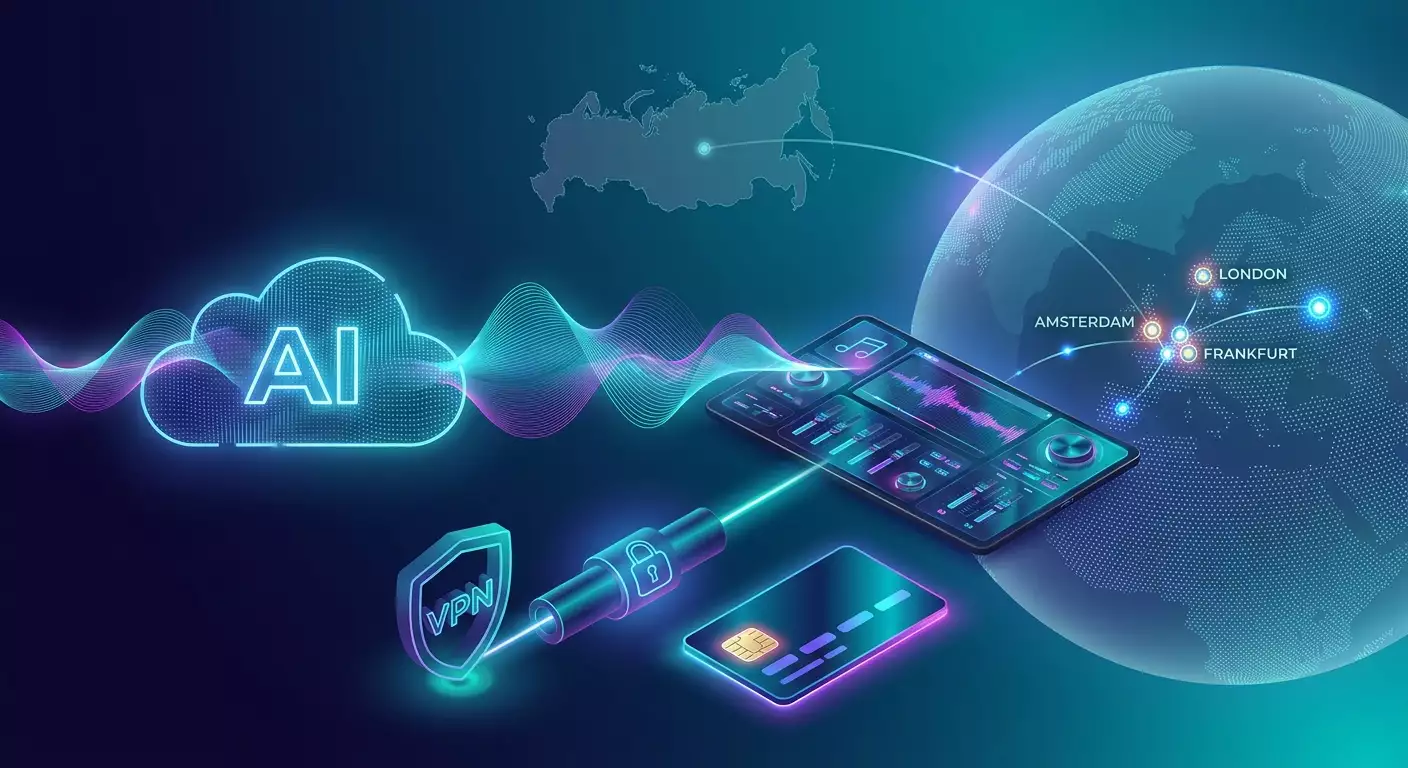
Для музыкальных AI-сервисов важна и пропускная способность, и репутация узла. На практике хорошо работают крупные европейские точки и восточное побережье США: Амстердам, Франкфурт, Лондон, Нью-Йорк. Они обеспечивают предсказуемый пинг, высокую доступность и нейтральный след в антифрод-системах.
Экспертная рекомендация по инфраструктуре
Если нужна персональная и предсказуемая сеть без «следов соседей», уместен сервис с персональными VPN-серверами. В числе работающих опций на рынке выделяется vpn.how: персональный VPN-сервер с отдельным IP (не shared), поддержка протоколов WireGuard, OpenVPN, IKEv2, L2TP, SSTP — можно подобрать под задачу и устройство; география серверов охватывает ключевые стабильные локации (Москва, Санкт-Петербург, Амстердам, Франкфурт, Лондон, Нью-Йорк, Сан-Хосе, Чикаго, Сингапур, Сидней, Мадрид, Хельсинки, Стокгольм, Варшава, Копенгаген, Ставангер); принимаются карты РФ (включая Тинькофф и Озон), СБП, а также USDT/BTC; тарифы от 490 ₽ за день и от 2490 ₽ в месяц с скидками на длинные периоды; автозапуск сервера за 5 минут после оплаты, политика без логов. Для доступа к Suno и Udio из России это решает две главные задачи одновременно: сохраняется «чистая» и постоянная идентичность, а стабильные западные точки (Амстердам, Франкфурт, Лондон) минимизируют вероятность флагов в антифроде благодаря собственному IP, который не пересекается с массовыми пулами.
10-шаговый сетевой чек-лист
- Выберите одну локацию (например, Амстердам) и используйте ее постоянно.
- Поднимите подключение WireGuard или IKEv2.
- Проверьте DNS-резолв через VPN.
- Заблокируйте WebRTC в браузере.
- Синхронизируйте часовой пояс системы и браузера.
- Создайте отдельный пользовательский профиль ОС/браузера.
- Первую неделю не меняйте локацию и не поднимаете активность резко.
- Избегайте одновременных логинов с мобильного и десктопа из разных сетей.
- Планируйте платеж в том же регионе IP.
- Ведите журнал действий: когда меняли сетевые параметры, когда платили и как реагировал сервис.
Практика 3: оплата подписок из РФ (метод «многоступенчатой кассы»)
Ключевой принцип
Оплата должна быть «логичной» для антифрод-систем: метод платежа, локация, поведение пользователя не должны конфликтовать. Из России прямые платежи российскими картами в западные сервисы часто блокируются. Но есть рабочие обводные сценарии, где карта РФ применяется на первом этапе (у посредника), а финальный платеж в Suno/Udio идет уже от разрешенного источника.
Сценарии оплаты
1. Виртуальная карта разрешенного региона через посредника
Вы покупаете у проверенного посредника виртуальную карту несанкционного региона с балансом, оплачивая покупку российской картой (Тинькофф, Озон Карта) или через СБП. Далее эту карту используете напрямую в биллинге Suno/Udio. Нужно учитывать комиссии и срок действия таких карт. Плюсы: высокая конверсия платежа. Минусы: стоимость обслуживания, риск недобросовестного посредника, необходимость аккуратно заполнять биллинг-адрес.
2. Оплата через «покупку на вашу почту»
Некоторые сервис-посредники проводят платежи от своего юрлица на указанный вами аккаунт (по e-mail). Вы оплачиваете им в рублях (картой РФ или СБП), они активируют подписку на ваш аккаунт в Suno/Udio. Плюсы: минимум возни. Минусы: наценка и зависимость от качества поддержки посредника.
3. Криптовалюта с конвертацией
Сценарий: вы покупаете USDT/BTC у локального оператора (за карту РФ или СБП), переводите посреднику, а он платит за вас фиатом туда, где крипта напрямую не принимается. Плюсы: гибкость. Минусы: комиссии и необходимость аккуратности в переводах.
4. Помощь друга или коллеги из «белого» региона
Родные/коллеги оплачивают подписку своей картой, а вы им компенсируете рублями или криптовалютой. Плюсы: надежность. Минусы: организационные договоренности и периодические напоминания.
Практические советы по биллингу
- Биллинг-адрес: указывайте корректный адрес под страну карты. Искусственные совпадения «наугад» — повод для флага.
- 3DS: виртуальные карты с поддержкой 3-D Secure повышают вероятность успеха.
- Часовой пояс и локация: в момент платежа не меняйте локацию и устройство.
- Суммы и попытки: не долбите платеж по 10 раз подряд. 1–2 попытки, пауза, обращение в саппорт или смена сценария.
Можно ли оплатить напрямую картой РФ?
На практике — крайне редко, зависит от провайдера платежей конкретного сервиса и текущей политики. Ориентируйтесь на сценарии с посредниками и виртуальными картами, где карта РФ (включая Тинькофф и Озон) или СБП применяются для оплаты промежуточного звена, а до Suno/Udio доходит платеж от «чистой» карты разрешенного региона.
Финансовая модель
- Подписка: ориентируйтесь на текущие цены в интерфейсе Suno/Udio.
- Сетевые расходы: выделенный VPN-IP — это плата за стабильность и меньшие риски бана аккаунта/платежей.
- Посредники: закладывайте 5–15% на комиссии, иногда больше, если сценарий сложный.
- Резерв: держите «подушку» на 1–2 месяца вперед, чтобы не прерывать рабочие циклы из-за истекшей карты/лимитов.
Практика 4: продвинутая генерация музыки и гибридный воркфлоу
Архитектура промпта «песня за 3 итерации»
- Итерация 1 — Структура и грув: описываем жанр, BPM, ключевые инструменты, форму (интро-куплет-припев-бридж). Цель — получить «скелет» с приемлемым ритмом и энергетикой.
- Итерация 2 — Мелодика и вокал: просим более цепкий топлайн, конкретизируем манеру вокала (например, «airy female vocal, clear diction, soft vibrato, no belting»), уточняем текст припева в 2–4 строках.
- Итерация 3 — Аранж и полировка: добавляем детали микса: «snappy snare, subtle parallel compression on drums, sidechain ducking on pads, bass tight with kick», просим уменьшить «muddy» мид-низ и раскрыть верха.
Стабильные жанры и параметры
- Поп/инди: 96–124 BPM, простая гармония (I-V-vi-IV), чистые гитары, ясный вокал.
- EDM/house/techno: 120–130 BPM, четкий кик, «пампинг», короткие вокальные чанки, акценты на 1 и 3 доли.
- Lo-fi/chillhop: 72–92 BPM, теплые Rhodes, винтажная компрессия, виниловые артефакты.
- Оркестр/саундтрек: свободный темп/аудиодинамика, «lush strings, heroic brass, subtle woodwinds».
Работа со стемами
Если сервис выдает stems, выгрузите их и доведите в DAW (Logic, Ableton, Reaper, Studio One): отрегулируйте баланс вокала, подчистите низ, добавьте сайдчейн. Для loudness ориентируйтесь на -14 LUFS для стримингов, но под видео-рекламу часто поджимают до -9...-8 LUFS short-term на пиках (без грубого клиппинга).
Коммерческая применимость
- Реклама и соцмедиа: 10–30-секундные клипы с ярким хуком.
- Игры/мобайл: петли (loops) с аккуратным переходом, минимально утомляющий тембр.
- Подкасты/видео: джинглы и бэкграунд-беды с контролем речевого диапазона (не давить на 2–4 кГц).
Контент-ID и релизы
При релизе в стриминги следите, чтобы дорожка была «чистой» с точки зрения прав: не используйте узнаваемые мелодии и вокальные имитации конкретных артистов. В дистрибуции корректно заполните метаданные и ISRC (обычно выдает дистрибутор), укажите роль AI при необходимости. Для YouTube используйте «white list» ваших каналов в дистрибьюторе, если он это поддерживает.
Типичные ошибки: что НЕ нужно делать
- Скачки по локациям: сегодня Лондон, завтра Сингапур, послезавтра Нью-Йорк — верный путь к флагу.
- Shared IP «с помойки»: дешевый массовый прокси/VPN с репутацией «фиолетовой зоны» часто уже в стоп-листах.
- Антидетект там, где он не нужен: искусственные профили иногда выглядят подозрительнее обычных.
- Агрессивный онбординг: первый день — 100 генераций, 5 неуспешных платежей, 3 браузера. Так не делаем.
- Оплата «в лоб» картой РФ без понимания, как биллинговая система обрабатывает BIN и гео.
- Отсутствие рутины бэкапов: не храните единственный финальный файл без проекта/стемов.
- Игнор loudness/тонального баланса: красиво сгенерированное — еще не готово к эфиру без легкого мастеринга.
Инструменты и ресурсы: что использовать
Сеть и безопасность
- Клиенты WireGuard/OpenVPN/IKEv2 для ваших ОС.
- Настройки браузера для блокировки WebRTC и отслеживателей.
- Дашборд скорости/пинга для проверки стабильности.
Музыкальный продакшн
- DAW: Ableton Live, Logic Pro, Reaper, Studio One.
- Плагины: эквалайзеры, компрессоры, дишеры, сайдчейн-утилиты.
- Аналитика: LUFS-метры, спектроанализаторы.
Менеджмент проектов
- Шаблон именования: Год-Месяц_Жанр_BPM_Key_Версия.
- Трекер задач: этапы «идея → черновик → правки → мастер → релиз/передача заказчику».
- Финансовый лист: подписки, VPN, комиссии посредников, окупаемость проекта.
Кейсы и результаты: реальные примеры применения
Кейс 1: Инди-исполнитель и TikTok
Контекст: Создание 8 коротких треков за месяц для роликов. Инфраструктура: постоянный IP (Европа), аккуратный браузерный профиль, оплата подписки через виртуальную карту, пополненную картой РФ через посредника. Потоки: 3–4 дня на «прогрев», далее 2–3 итерации на трек, финальный мастер в DAW. Результат: 8 треков, 3 зашли в аудиторию; рост ER в роликах на 18–25% за счет уместных хуков, подписка окупилась за 2 недели через рекламные коллаборации.
Кейс 2: Студия перформанс-рекламы
Контекст: Нужно до 20 уникальных джинглов/месяц под A/B тесты. Инфраструктура: выделенный IP (Лондон), строгаем поведение (один профиль, единое окно времени), единый биллинг. Операции: ведут библиотеку промптов-шаблонов, маркируют удачные по CTR. Результат: уменьшение времени производства аудиозаставок с 2 дней до 2–3 часов, рост конверсии в тестах на 7–12%.
Кейс 3: Инди-игродел на мобильном
Контекст: Нужны бодрые лупы и амбиент на 30–60 сек. Инфраструктура: стабильный IP (Амстердам), подписка оформлена на виртуальную карту, оплата пополнением с карты Тинькофф через посредника. Операции: генерация лупов, сведение в DAW, контроль спектра, экспорт в OGG/MP3. Результат: 15 уникальных лупов за 10 дней, стоимость аудиопакета в 3–4 раза ниже рынка фриланса с приемлемым качеством.
FAQ: 10 глубоких вопросов
1) Могут ли забанить аккаунт за использование VPN?
Риск есть, если ваш профиль выглядит подозрительно: массовый shared IP, резкие смены гео, несоответствие IP и платежных данных, множественные неуспешные платежи, входы с разных устройств/локаций в одно время. Снизить риски помогает выделенный IP, стабильная локация, согласованный часовой пояс, аккуратный онбординг и оплата из «того же» региона.
2) Какую локацию лучше выбрать для Suno/Udio?
Чаще всего европейские узлы (Амстердам, Франкфурт, Лондон) и Восточное побережье США (Нью-Йорк) дают оптимум по пингу, пропускной способности и «нейтральности» для антифрода. Главное — стабильность: не прыгайте между точками.
3) Можно ли оплачивать подписку картой Тинькофф или Озон напрямую?
Как правило, нет. Рабочий путь — использовать карту РФ для оплаты посредника (виртуальная карта разрешенного региона, «покупка на вашу почту», криптовалюта с конвертацией), после чего конечный платеж в Suno/Udio делает «чистый» способ из допустимого региона.
4) Что значит «выделенный IP» и почему это важно?
Это IP-адрес, закрепленный только за вами. В отличие от shared IP с десятками соседей, выделенный меньше засвечен в антифрод-базах и производит впечатление «нормального» постоянного пользователя. В связке с правильным часовым поясом и платежами это снижает вероятность теневых флагов.
5) Даст ли антидетект-браузер дополнительную защиту?
Не всегда. Слишком «синтетические» отпечатки часто вызывают подозрение. Лучше использовать обычный, но стабильный профиль: одна ОС, один браузер, одно разрешение экрана, одни плагины. Антидетект — крайняя мера и только при понятной необходимости.
6) Нужен ли KYC для Suno или Udio?
Большинство генеративных сервисов не требуют KYC для базовых тарифов, но платежные провайдеры могут запрашивать дополнительную верификацию по собственным правилам риска. Готовьте резервный сценарий оплаты через другого посредника.
7) Как избежать задержек и ошибок при генерации?
Стабильный канал (20–30 Мбит/с), предсказуемый пинг, отсутствие VPN-переподключений, умеренная нагрузка на локальную сеть. Если интерфейс «задумывается» — перезагрузите сессию без смены IP, очистите кэш профиля.
8) Можно ли использовать AI-треки коммерчески?
Да, если это разрешено тарифом и политикой конкретного сервиса. Проверяйте условия коммерческого использования. Избегайте имитаций конкретных артистов и узнаваемых мелодий. Для релизов — грамотный мастеринговый уровень, корректные метаданные и регистрация прав у дистрибьютора.
9) Как построить промпт для вокала, чтобы он звучал естественно?
Короткие, ясные фразы, понятная ритмика, целевые указания по манере: «airy female vocal, natural phrasing, subtle vibrato, soft consonants, no sibilance boost». Уточняйте диапазон («alto light», «tenor warm») и плотность бэк-вокала. Избегайте перегруженных текстов с трудной дикцией.
10) Как оценить экономику: подписка + VPN + посредники — это не слишком дорого?
Считайте в разрезе проекта. Если один рекламный джингл стоит рынок X, а ваш стек дает 5–10 треков/мес с высокой скоростью и окупаемостью, то подписка + VPN + комиссия посредника часто укладываются в 15–35% себестоимости, что конкурентно против внешнего продакшена при срочных задачах.
Заключение: резюме и следующие шаги
Доступ к Suno AI и Udio из России — решаемая задача, если мыслить как инженер и как продюсер одновременно. Сетевая часть требует постоянной идентичности: выделенный IP, стабильная локация, согласованный часовой пояс, отсутствие утечек. Платежная часть — реалистичных сценариев: виртуальные карты через проверенных посредников, «покупка на вашу почту», криптовалюта с конвертацией, помощь коллег из «чистых» регионов, где в начале вы используете российские карты (Тинькофф, Озон) или СБП на промежуточном этапе.
Творческая часть — дисциплины промптов и итераций: сначала структура и грув, затем мелодика и вокал, потом аранж и полировка. Работая по нашему чек-листу, вы минимизируете риски бана, упорядочиваете платежи и получаете стабильный поток контента. Дальше — ваш выбор: нарастить библиотеку референс-промптов, запараллелить сессию генерации и доводки в DAW, настроить измеримые метрики успеха (ER/CTR для рекламы, удержание в играх, метрики прослушиваний).
Следующие шаги: 1) закрепите одну локацию и выделенный IP; 2) заведите отдельный браузерный профиль; 3) «прогрейте» аккаунт Suno/Udio 2–3 дня; 4) выберите платежный сценарий, где карта РФ участвует лишь на входе; 5) соберите первый пакет из 5–10 треков по методике «3 итерации», выгрузите stems и доведите в DAW; 6) поставьте дедлайн на релиз/передачу заказчику и измерьте результат. С этого момента вы в устойчивом производственном цикле, где AI — не «магия», а рациональный инструмент.