Компрессия трафика в VPN: когда ускоряет, а когда ломает всё. Практика 2026
Компрессия трафика в VPN: как работает сжатие данных в VPN-туннелях, когда оно ускоряет соединение, когда замедляет, почему VORACLE опасна, какие типы данных реально сжимаются, настройки OpenVPN, WireGuard, IPsec и риски безопасности в 2026 году.
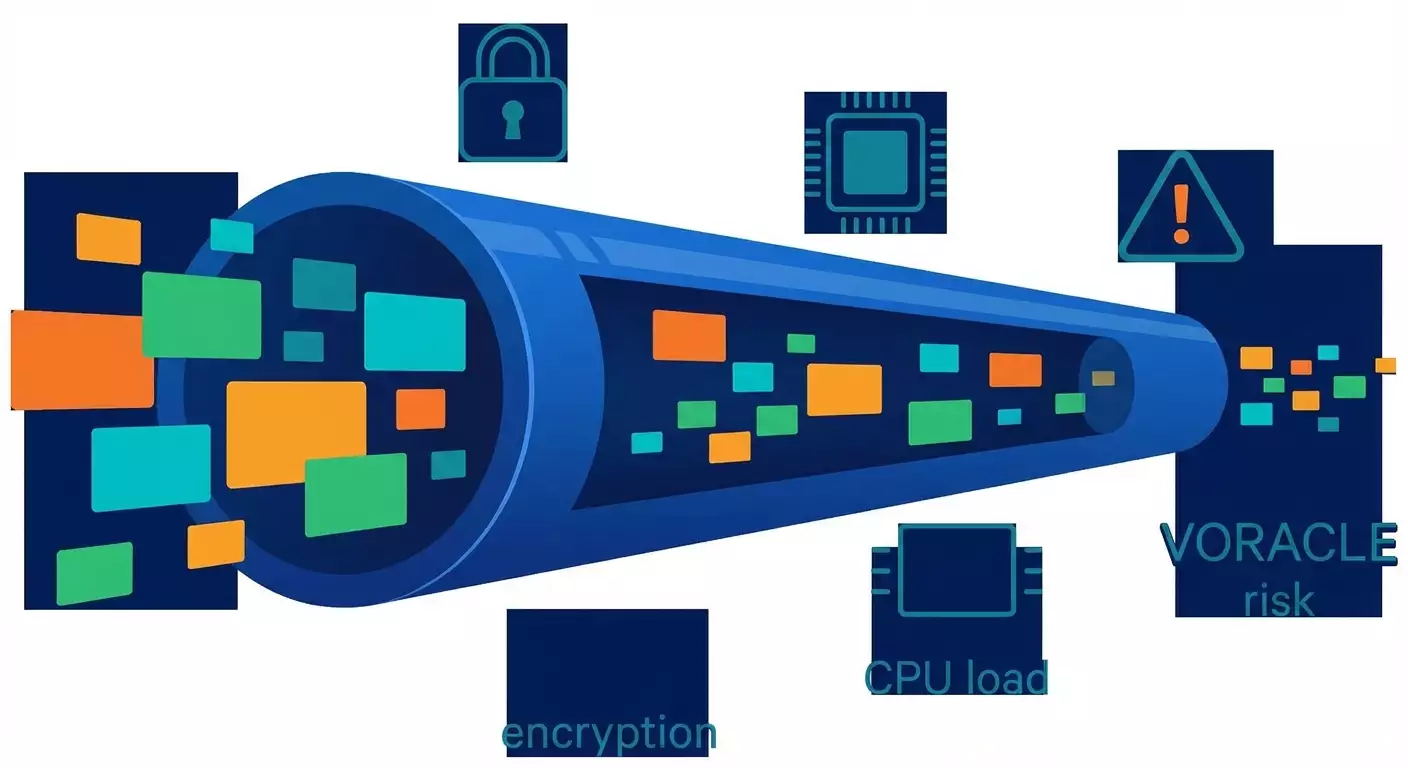
Содержание статьи
- Зачем вообще сжимать трафик в vpn и почему вокруг этого столько шума
- Как именно работает сжатие в vpn-туннелях
- Когда компрессия помогает: проверенные сценарии и цифры
- Когда компрессия вредит: тонкие места, про которые редко говорят
- Типы данных и ожидаемая эффективность сжатия
- Риски безопасности: voracle, родственные атаки и как не вляпаться
- Настройка на практике: openvpn, wireguard, ipsec, shadowsocks
- Мониторинг, тесты и метрики: без цифр компрессия — гадание
- Реальные кейсы 2024-2026: где сработало, а где нет
- Чек-листы и рекомендации на 2026 год
- Частые ошибки и анти-паттерны
- Faq: коротко, по делу и без воды
Зачем вообще сжимать трафик в VPN и почему вокруг этого столько шума
Компрессия звучит как бесплатный обед, но так ли это
Казалось бы, идея мечты: мы включаем сжатие, пакеты худеют, скорость растет, счет за мобильный трафик падает. Прекрасно? Увы, не всегда. Компрессия в VPN — инструмент с лезвием с двух сторон: в одних сценариях она творит чудеса, в других — бьет по скорости, батарее смартфона и даже по безопасности. Как понять, где польза, а где костыль? Давайте разложим по полочкам, без магии и с честными цифрами.
Ключевая мысль: VPN-компрессия работает только там, где данные ещё не сжаты и не зашифрованы на прикладном уровне. В 2026 году почти весь веб — HTTPS и HTTP/3 (QUIC), медиаконтент — в современных кодеках, а бэкапы и логи часто гоняются уже с zstd. То есть «пространства для сжатия» мало. Но остается немало ниш — от текстовых протоколов до специфических корпоративных нагрузок, — где VPN всё ещё может дать ощутимый выигрыш.
Почему тема снова горячая в 2026
Простой ответ — из-за гибридной работы, мобильных сетей 5G/SA, массового QUIC и взрывного роста телеметрии/логов. Вы можете ехать на дачу, подцепляться к Starlink, раздавать интернет с телефона и в реальном времени заливать в облако тысячи мелких JSON-событий. Вот тут компрессия либо спасет пропускную способность, либо добьет процессор устройства. А еще на горизонте — все настойчивее всплывает тема безопасных настроек из-за старых, но живучих атак, вроде VORACLE. Словом, повестка не просто академическая, а предельно прикладная.
Принципиальная дилемма: компрессия до шифрования
Чтобы сжатие имело смысл, оно должно происходить до шифрования. Иначе энтропия зашкаливает, и вы не ужмете ничего. VPN как раз и предлагает компрессию на уровне туннеля, перед шифрованием пакетов. Но именно это и открывает двери для классов атак типа CRIME/BREACH/VORACLE — когда длина и поведение сжатого блока могут «шепнуть» злоумышленнику лишнее. Вопрос не просто «включить или нет», а «включить выборочно, безопасно и осознанно».
Как именно работает сжатие в VPN-туннелях
Место компрессии в стекe и что будет с MTU
Компрессия в классическом VPN выполняется на стороне клиента и сервера непосредственно перед шифрованием и инкапсуляцией. Это значит, что уже на этапе «сырого полезного трафика» алгоритм пытается выжать из данных максимум редундантности. Однако компрессия меняет размер пакета, а вместе с ним — реальный MTU и вероятность фрагментации. Неочевидный итог: вы вроде бы сократили трафик, но схлопотали дополнительную задержку из-за переобрезки MSS, да еще и поломали Path MTU Discovery в экзотичной сети. Простой совет: если вы вообще трогаете компрессию, трогайте и MTU/MSS. Аккуратно, по шагам, с проверками.
Алгоритмы: LZO, LZ4, Zstd и где их применяют
Исторически OpenVPN долго шел с LZO. Он быстрый, но ныне устарел и небезопасен как практика компрессии в туннеле. LZ4 — компромисс для низких задержек и высоких скоростей, терпимый на слабых CPU. Zstd (Zstandard) в 2026 году — «король» компрессии общего назначения: прилично жмет на низких уровнях, взлетает по эффективности на средних и высоких, умеет адаптивно балансировать скорость/качество. Минус — цена процессора, особенно на смартфонах старше 3-4 лет. Для VPN это критично: перегрели ядро — потеряли стабильность. Поэтому в реальных конфигурациях компрессию включают точечно и на умеренных уровнях, если вообще включают.
Поток против датаграмм: TCP, UDP и QUIC
Компрессия не дружит с TCP-over-TCP. Если вы прогоняете TCP-сессию внутри TCP-туннеля, вы рискуете упасть в яму «двойного управления потоком», получить болезненный head-of-line blocking и странные всплески латентности. UDP-туннели, как у WireGuard или OpenVPN UDP, обычно терпимее к компрессии, но тогда важны настройки пакетов, джиттера и буферов. QUIC (HTTP/3) поверх UDP уже включает свои механизмы оптимизаций, сжатия заголовков и восстановления потерь — «дополнительное» сжатие на VPN-уровне чаще всего просто не дотягивается до пользы.
Когда компрессия помогает: проверенные сценарии и цифры
Текстовые протоколы и события: JSON, логирование, телеметрия
Все, что похоже на JSON, CSV, XML, syslog, Prometheus-метрики и необработанные текстовые дампы — прекрасные кандидаты. Типичный выигрыш — 40-80% по объему. В одной компании мы включили «внутривенный» zstd на канале передачи логов между филиалом и центром — трафик схлопнулся на 63% при росте средней задержки всего на 3-5 мс. Цена — умеренная загрузка CPU сервера (на уровне 12-18%) и заметное, но терпимое потребление на тонких клиентах (5-10%).
Резервное копирование и миграции данных
Часто бэкапные решения уже умеют сжатие. Но если по историческим причинам оно выключено или используется «умеренное» сжатие, VPN-компрессия может внести лепту. Пример из практики 2025-2026: инкрементальные бэкапы конфигураций и текстовых отчётов между площадками через IPsec с IPComp. Итог — минус 28-35% байтов на канале, устойчивый график и экономия на арендованной полосе. Но повторим: если на источнике включили zstd — не пытайтесь догнать его VPN-уровнем, толку не будет.
RDP/SSH и «тонкие» сессии
RDP и SSH уже экономят трафик, но не всегда агрессивно, особенно при потоковом обновлении экранов в нестандартных приложениях или при большом количестве текстовых изменений. На медленных каналах LZ4 в OpenVPN UDP показал выигрыш 10-20% объема при небольшом снижении времени отклика. Нет, это не чудо, но на слабом 4G в пригороде — разница ощущается: курсор перестает «липнуть».
IoT и промышленный трафик
Датчики, станки, контроллеры иногда общаются простыми текстовыми протоколами. В закрытых сетях без HTTPS судя по пейлоадам можно ужать до 50%. Да, звучит старомодно, но реальность цехов такова: если протокол из нулевых и без встроенного сжатия, VPN-компрессия — дешевый апгрейд. Важно: сперва оцените риски безопасности (дальше разберем VORACLE и сопутствующие угрозы), а потом включайте компрессию только на нужных подсетях.
Когда компрессия вредит: тонкие места, про которые редко говорят
Современные кодеки и шифрование съедают прибыль
Видео H.265/H.266, аудио Opus/AAC, изображения WebP/AVIF, архивы, а еще TLS 1.3 поверх HTTP/3 — все это либо уже сжато, либо выглядит как белый шум для компрессора. Вы получите почти нулевую экономию и при этом потратите CPU. Итог — ниже пиковая скорость, выше задержки, быстрее садится батарея на телефоне. Иногда мы видели падение полезной скорости в два раза при включенном LZO на OpenVPN, только из-за того, что трафик был на 95% видеопотоком и TLS.
TCP-over-TCP и «залипание» окон
Если ваш VPN работает поверх TCP, а внутри гонится тоже TCP, при потере пакета внешний TCP будет ретранслировать, а внутренний — ждать и собирать. Добавьте компрессию, и очереди на стороне VPN-процесса начнут конкурировать с окнами TCP. Результат — «ступеньки» скорости, непредсказуемые провалы FPS в облачных играх, жалобы пользователей «что-то дергается». В таких сценах лучше вообще избегать TCP-туннелей, не то что компрессии.
MTU, MSS, фрагментация и скрытая боль
Компрессия меняет средний размер пакетов и их вариативность. Там, где раньше PMTUD справлялся, теперь возможны редкие, но жесткие фрагментации. В 5G SA это почти не заметно, а вот в LTE на старых маршрутизаторах — еще как. Добавьте непредсказуемые уязвимые CGNAT-узлы, и вы получите загадочные обрывы туннеля. Лекарство — аккуратно подкрутить mssfix и tun-mtu в OpenVPN, протестировать ICMP blackhole сценарии и замерить процент фрагментаций на маршруте.
Типы данных и ожидаемая эффективность сжатия
Хорошо сжимаемые: текст и похожие на текст
- JSON, CSV, XML, YAML: экономия 40-80% - Логи, конфиги, скрипты, SQL-дампы (без предархивирования): 50-85% - Протоколы типа MQTT без встроенного сжатия: 30-60% - RDP/SSH при текстовых нагрузках: 10-30%
Распределение зависит от энтропии: чем больше повторяемость структур и слов, тем радикальнее выигрыш. Zstd на уровне 3-5 часто дает золотую середину, особенно на серверах с нормальными ядрами.
Плохо сжимаемые: уже упакованные и зашифрованные
- HTTPS, HTTP/3, TLS-трафик любого рода: 0-5% - Видео, аудио, изображения в современных форматах: 0-3% - Архивы zip/7z, базы, блобы, зашифрованные бэкапы: 0-1%
Тут компрессору нечего ловить: энтропия высока, регулярностей почти нет. Любая попытка сжать — лишняя работа процессора.
Ситуативные случаи: SMB, старые протоколы, телеметрия
SMB 3.1.1 в новых Windows умеет собственную компрессию (да и zstd там не редкость). Так что VPN-компрессия часто только мешает. Но если у вас старые клиенты или специфические приложения без своего сжатия, LZ4 на уровне VPN может добавить 10-25% экономии. Телеметрия — обычно текст в оболочке, но иногда с бинарными полями; смотрите на pcap и считайте реальные коэффициенты.
Риски безопасности: VORACLE, родственные атаки и как не вляпаться
Что такое VORACLE и почему она до сих пор актуальна
VORACLE — это атака, при которой сжатие данных до шифрования в VPN позволяет утечке секретов из HTTP-трафика через анализ размеров сжатых блоков. Сценарий классический: злоумышленник убеждает жертву посетить страницу с «инъекцией» контролируемого контента и, наблюдая длины сжатых пакетов, постепенно угадывает значение секретов (например, cookies). Это родня атакам CRIME и BREACH, только с особенностями OpenVPN и LZO. В 2026 году сама механика жива как класс: если вы включили компрессию «как есть» и внутри гоняете чувствительный несжатый текст — вы в зоне риска.
Какие протоколы уязвимы, а какие нет
Если весь ваш трафик — HTTPS с корректной конфигурацией, шанс успеха VORACLE минимален, потому что на уровне VPN компрессор видит уже энтропийную кашу от TLS. Но если есть HTTP (без S), незащищенные API, старые админки, бэк-офисные интерфейсы — опасность реальна. Внутренние корпоративные порталы «только для своих» тоже уязвимы, если их гоняют через VPN с включенной компрессией и без доп. мер.
Практические меры защиты
- По умолчанию отключайте компрессию в VPN. Включайте точечно для явно безопасных, не чувствительных потоков. - В OpenVPN используйте политики allow-compression no или асимметричный режим только для приема сжатия, но не отправки. - Принудите HTTPS, включайте HSTS, выносите чувствительные cookies в флаги HttpOnly, Secure, SameSite=Strict. - Для вебов выключайте компрессию ответов на страницах с секретами или применяйте рандомизированный padding на уровне приложения. - Сегментируйте: отдельные туннели или политики для логов/телеметрии и для пользовательского веб-трафика.
Настройка на практике: OpenVPN, WireGuard, IPsec, Shadowsocks
OpenVPN: как жить без comp-lzo и не плакать
Старый ключ comp-lzo сегодня флаг «опасно». В актуальных версиях используйте allow-compression no, избегайте compress, если не понимаете риски. Если сжатие нужно выборочно: - делайте отдельный профиль/туннель для «несекретных» текстовых потоков; - на этих туннелях выбирайте LZ4 с минимальным уровнем; - заодно выставляйте mssfix (например, 1400-1420 для LTE) и мягко трогайте tun-mtu; - проверяйте CPU на клиенте (smartphone, thin client) и на сервере; - тестируйте A/B как минимум 24 часа под реальной нагрузкой.
WireGuard: компрессии нет и это фича
WireGuard принципиально не включает встроенной компрессии. И правильно делает: меньше атак класса «сжали до шифрования — утекло». Если хочется экономии, делайте это на уровне приложения: - архивируйте бэкапы zstd перед отправкой; - включайте сжатие в клиентах телеметрии; - оптимизируйте форматы передач (protobuf с varint-полями, dedup на источнике). Это скучно, зато безопасно и предсказуемо по ресурсам.
IPsec и IPComp: осторожная классика
IPComp (RFC 3173) — опциональная компрессия полезной нагрузки IPsec. Работает, но пользу приносит только на «текстообразных» потоках. В 2026 это нишевая опция: включайте адресно, для конкретных подсетей, и замеряйте результат. Не забывайте про оборудование: некоторые железки реализуют IPComp посредственно — возможны редкие баги и неожиданные фрагментации.
Shadowsocks/прокси-стек: компрессия как плагин
В ряде окружений используют плагины с обфускацией и иногда со сжатием. Тут важно понимать: экономия есть только на несжатом контенте, а риски безопасности схожи — сжатие до шифрования увеличивает поверхность для атак по длине. Лучше держать компрессию на уровне приложения и не мешать её с транспортной обфускацией без крайней необходимости.
Мониторинг, тесты и метрики: без цифр компрессия — гадание
Как тестировать правильно: A/B на реальном трафике
Запускаем две параллельные ветки: с компрессией и без. Пропускаем через них однотипные нагрузки сутки-двое. Снимаем: - объем байтов на входе/выходе туннеля; - p95/p99 задержек; - CPU и RAM на конечных точках; - процент потерь и ретрансмитов. Важно тестировать в «час пик» и при «фоновой буре» (резервные задания, рассылки, массовые апдейты).
Инструменты и подходы 2026
Используем iperf3 для эталонной полосы, tc для эмуляции каналов с задержкой/джиттером, системные экспортеры метрик (например, node-экспортеры). Смотрим pcap с отбором по туннельным интерфейсам, считаем коэффициент сжатия, анализируем MTU/MSS и фрагментации. Визуализируем дельты в Grafana — никакой мистики, только практические кривые.
Критерии успеха и стоп-условия
Компрессию имеет смысл оставлять, если: - экономия трафика стабильная и выше 15-20%; - задержка растет не более чем на 5-10 мс для интерактивных задач; - CPU не выходит за 70-75% пиков на длительных интервалах; - нет всплесков фрагментаций и ошибок PMTUD. Если один из пунктов падает — компрессию выключаем или переносим её на уровень приложения.
Реальные кейсы 2024-2026: где сработало, а где нет
Мобильные продажи и CRM в полях
Смартфоны менеджеров отправляют пачки текстовых заявок и мини-отчетов. OpenVPN UDP с LZ4 на филиальном сервере: экономия 22-35%, время отклика выросло на 3-4 мс. Батарея садится быстрее на 4-7%, но люди довольны — формы открываются быстрее, даже в «дырявом» LTE.
Спутниковый канал и телеметрия агрофермы
VSAT с задержкой 600+ мс. Телеметрия — пачки коротких JSON-сообщений. Включили сжатие на серверной стороне с zstd в приложении, а не в VPN. Экономия 58%, при этом отказались от компрессии на уровне IPsec. Итог — меньше CPU-колебаний и ровнее график отправок. Вывод: компрессия в приложении дала больше контроля и предсказуемости.
Видеонаблюдение и удаленный доступ
Пытались «ужать» потоки H.265 поверх OpenVPN. Плюс-минус ноль. В некоторых локациях стало хуже на 10-15% по задержкам из-за CPU. Решение — убрать компрессию, оптимизировать битрейт камер и профиль GOP. В VPN — чистый трафик без лишнего вмешательства.
Корпоративные бэкапы между ЦОДами
Бэкапы уже с zstd, параллельные потоки. IPsec с IPComp показал 1-3% экономии и ощутимые скачки CPU на шлюзах. Отключили IPComp, добавили регулировку параллелизма на уровне бэкап-софта — получили ровный канал без выбросов.
IoT-парк на старом протоколе
Старые контроллеры гонят полутекстовые пакеты без TLS. Выделенный OpenVPN-туннель с LZ4 только для этой подсети дал 45-55% экономии трафика и уменьшение затрат оператора связи. Команда приняла риск, потому что данных секретных нет, а выгода существенная. Мы добавили мониторинг и ограничение MTU, чтобы не нарваться на фрагментацию.
Чек-листы и рекомендации на 2026 год
Когда включать компрессию
- Трафик преимущественно текстовый, без сильной энтропии - Нагрузка стабильная, умеете замерять и мониторить - Есть отдельный туннель/политика для конкретных подсетей - Допускается небольшой рост задержек ради экономии канала
Когда категорически не стоит
- Видеопотоки, аудио, игры и все, что чувствительно к задержке - Массовый HTTPS/HTTP3-трафик, архивы, уже сжатые бэкапы - TCP-over-TCP туннели - Неясные сети с проблемным MTU/PMTUD
Безопасность первым делом
- По умолчанию компрессию в VPN отключать - Секретный веб-трафик — только HTTPS, плюс best practices по cookies - Разделять туннели: для логов/телеметрии отдельно от пользовательского ИТ - Рассматривать padding на уровне приложений, если есть компрессия ответов
Производительность и эксплуатация
- Следить за CPU на концах, брать заначку по ядрам - На мобильных — особенно экономно, шанс «посадить» батарею реален - Управлять MTU/MSS и мониторить фрагментации - Проводить A/B минимум 24 часа, сравнивать p95/p99
Частые ошибки и анти-паттерны
Включить «на всякий случай» и забыть
Так ломают каналы. Компрессия — это гипотеза, а не магический тумблер. Если не измеряете, считайте, что у вас хуже, чем было.
Компрессия поверх уже сжатого
Сжимать H.265 или zip — как гладить утюгом кубики льда: шипит, ресурсы уходят, толку ноль. Переносите сжатие туда, где есть повторяемость.
Игнорирование безопасности
VORACLE не вымер. Если у вас где-то остался HTTP без S и компрессия в VPN — риск не нулевой. Закрывайте лазейки или разделяйте трафик.
TCP поверх TCP
Двойной контроль потока плюс компрессия — это рецепт странных лагов. Хотите предсказуемость — избегайте такой архитектуры.
FAQ: коротко, по делу и без воды
Безопасность и риски
Опасно ли включать компрессию в OpenVPN в 2026 году
По умолчанию — да, нежелательно. Риск VORACLE и родственных утечек никуда не делся. Если очень нужно, включайте только для несекретных подсетей, с LZ4 и с отдельным профилем.
Поможет ли компрессия против DPI и блокировок
Нет. Компрессия — про размер и повторяемость, а не про маскировку. От DPI помогают обфускация, транспортные плагины или другие протоколы, но это другая история и другая зона рисков.
Защищает ли tls-crypt от VORACLE
Нет. tls-crypt шифрует и аутентифицирует управляющий канал, но не меняет сути: если вы сжимаете полезную нагрузку до шифрования, класс атак по длине остается реален.
Производительность и выгода
Насколько реально ускорить интернет компрессией
Если трафик текстовый и не сжат ранее — легко получить 20-60% экономии объема и заметное ускорение загрузки страниц. Если это видео, HTTPS и архивы — эффекта не будет или станет хуже.
Сильно ли компрессия садит батарею смартфона
Зависит от алгоритма и модели устройства. В среднем LZ4 съедает 3-7% сверх обычного за рабочий день, zstd может потребовать больше. Старые смартфоны перегреваются быстрее.
Практика и настройка
Есть ли смысл в IPComp для IPsec
Есть, если потоки действительно сжимаемы (логи, телеметрия). Но проверяйте на ваших железках, бывают странные глюки с фрагментацией. На зашифрованном/медийном трафике IPComp бесполезен.
Как понять, что компрессия помогает, а не мешает
Проведите A/B-тест 24-48 часов. Смотрите экономию байтов, p95 задержек, CPU, фрагментации. Если экономия меньше 15% или задержка растет больше чем на 10 мс — выключайте.
Почему WireGuard не добавил компрессию
Чтобы не плодить уязвимости и сложность. Компрессия — зона рисков и нагрузки на CPU, а выигрыши сомнительны для современного трафика. Лучше сжимать на уровне приложений, где это осмысленно.